
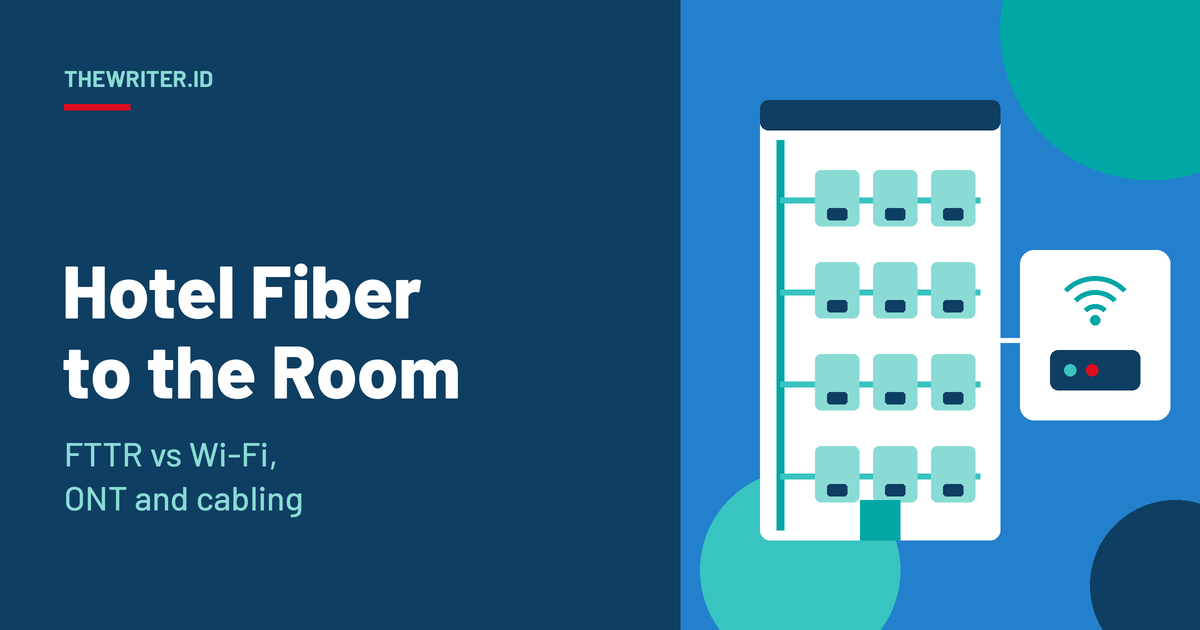
FTTH Network • Hospitality fiber
Fiber to the Room Hotel: FTTR vs Lobby Wi-Fi, Room ONT Specs and In-Wall Cabling
A hotel guest does not judge your network by its backbone. They judge it by whether the video call holds in the one room they are sleeping in. That is why more hotel projects now run fiber all the way into the room instead of stopping at the lobby and hoping Wi-Fi covers the rest. This page explains when that is the right call, which room unit to specify, and how to get the fiber through the walls without losing the budget you paid for.
Quick answer: Fiber to the room (FTTR) in a hotel runs optical fiber to a small unit in every guest room. That unit is the room’s Wi-Fi access point and its wired port. The signal starts inside the room, so it does not have to cross a wall. Choose it when walls between rooms are concrete or masonry, when rooms need wired services such as IPTV or room controls, or when every room must perform the same. Choose fiber to the lobby plus corridor Wi-Fi when walls are light, rooms are small and cost per room is the hard limit, and a site survey shows even coverage.
In this page, fiber to the room (FTTR) means fiber that ends in a unit inside each guest room. A room ONT is that unit: an optical network terminal with a Wi-Fi radio and LAN ports. Fiber to the lobby plus Wi-Fi means fiber stops at a central point on each floor or in the lobby, and corridor or ceiling access points (APs) carry the signal the last metres by radio. The three sections below cover the three decisions every hotel fiber project has to make: which design, which room unit, and which cabling.
Why does hotel Wi-Fi fail guests even when the building has fiber?
Fiber to the building does not guarantee a good signal in the room. The last few metres, a corridor AP sending radio through a door and a wall to a phone on a bed, is where most guest complaints start. Guests care about this a lot, and the radio physics work against you as the frequency goes up.
The survey is a few years old, so treat it as a direction, not a current benchmark. It was run among more than 670 guests and 200 hoteliers in the United States, and it is summarised in Travel Daily News. The wall figures are more durable because they are physics. Extreme Networks notes that brick and concrete absorb a signal heavily and drywall far less. A Cal Poly measurement study found that Wi-Fi 6E loses on average 62.3% more signal than 2.4 GHz and 43.8% more than 5 GHz through the wall assemblies it tested. Newer, faster Wi-Fi bands reach less far through walls, not further.
A real case shows the cost of the old design. Developing Telecoms (8 December 2023) reported that Wyndham Royal Lee Phuket ran VDSL at 100 Mbps with one Wi-Fi gateway for every 2–3 rooms. The result was poor coverage and actual speeds under 10 Mbps per room, with frequent guest complaints. True and ZTE then installed one main ONT and 26 room ONTs on each floor, so every room had its own ONT, and True Online offered 2 Gbps packages to give each room gigabit speeds.
Should a hotel use fiber to the room, or fiber to the lobby plus Wi-Fi?
It depends on the walls, the services each room needs and the budget per room. Neither design is always better. The table compares them on the points that decide hotel projects. It is our engineering summary, so confirm each row against your own building with a site survey.
| Factor | Fiber to the room | Fiber to the lobby plus Wi-Fi |
|---|---|---|
| Signal inside the room | Radio starts in the room, so no wall to cross | Radio crosses a door and wall; concrete or masonry can cut the signal sharply |
| Consistency room to room | Each room has its own radio, so rooms perform alike | Rooms at the end of the corridor or behind heavy walls get less |
| Wired services in the room | LAN ports on the unit for an IPTV box, a smart TV or room controls | Needs extra copper runs, or services go over Wi-Fi |
| Hardware and fiber count | One unit and one fiber drop per room | Far fewer units; fewer fibers to pull and terminate |
| Cost per room | Higher: a unit in every room | Lower when walls are light and coverage is easy |
| Maintenance access | Units are in guest rooms, so access needs housekeeping coordination | APs sit in corridors and ceilings, reachable without entering rooms |
| Higher Wi-Fi bands (6 GHz) | Short in-room distance suits the weaker wall penetration | Needs more APs or tighter spacing to hold the 6 GHz signal |
Standards are catching up with this design, which lowers the risk of choosing it. ITU-T G.9940 defines the system architecture for fibre-based in-premises transceivers and was approved in December 2023. G.9941 and G.9942 followed in July 2024 and G.9943 in October 2025, according to an ITU-T workshop presentation. ETSI’s F5G group has worked on the FTTR use case with the Broadband Forum, CCSA and ITU-T. Ask any vendor which of these they follow and what is proprietary. If the hotel plans a 10G backbone, read our XGS-PON network design guide before you fix the room count per port.
Choose this if
Choose fiber to the room if…
- Walls between rooms are concrete, masonry or have metal in them.
- Each room needs a wired port for IPTV, a smart TV or room controls.
- You are selling on connection quality and need every room to perform alike.
- You plan to move to 6 GHz Wi-Fi, where wall loss is highest.
- Rooms are suites or serviced apartments where guests stay for weeks.
Choose fiber to the lobby plus Wi-Fi if…
- Walls are light drywall and a survey shows even coverage from corridor APs.
- Cost per room is the hard limit and rooms are small.
- Stays are short and in-room wired services are not needed.
- You want to service equipment without entering guest rooms.
- The property is a retrofit where reaching every room with fiber is not practical.
Which room ONT specs matter for a hotel?
Size, noise, power, Wi-Fi standard, ports and tamper resistance decide whether a room ONT works in a hotel. A residential unit can pass a lab test and still fail a hotel, because a guest sleeps next to it, a housekeeper moves it and a bored guest unplugs it. The table lists what to ask for. The values are our recommendations, not a standard. For what an install really involves on site, see do they drill holes for fiber internet.
| Spec | What to look for | Why it matters in a hotel |
|---|---|---|
| Size and mounting | Slim wall-box, ceiling or behind-TV mounting; no desk or shelf stand | Anything on a table gets moved, covered or unplugged |
| Noise | Fanless, passive cooling, no audible hum or status-light glare at night | The unit sits metres from a sleeping guest |
| Power | Peak draw stated; powered by PoE, a hybrid fiber-and-copper cable or a local adapter | Decides whether the room needs a mains outlet and a switch with enough budget |
| Wi-Fi standard | Wi-Fi 6 at minimum; 6E or 7 if you will serve 6 GHz; roaming between room units on one floor | Guests walk the corridor on calls; the connection should not drop between rooms |
| Ports and services | At least one LAN port for IPTV or a room controller; guest VLAN separate from staff and IoT | Keeps guest traffic away from door locks, TVs and thermostats |
| Tamper resistance | Locked or screwed mount, covered ports, a management alert when the unit goes offline | A unplugged unit is a silent complaint until the guest calls reception |
Power is the spec most often left to the end. Fiber carries light, not power, so a room unit needs power from somewhere. The usual options are PoE from a switch over copper, a hybrid cable carrying both fibers and copper conductors, or a local adapter. If you choose PoE, the IEEE 802.3 generations offer different budgets at the switch port: 15.4 W (802.3af), 30 W (802.3at), 60 W (802.3bt Type 3) and 90 W (802.3bt Type 4). A device on a 90 W port can receive up to 71.3 W after cable loss. Read the unit’s peak draw, not its typical draw.
One line in a tender, written two ways (illustrative)
A line like the second one is also what a good product page needs. If you sell hotel ONTs, write the specs a hotel buyer actually asks about. TheWriter.id’s free Technician Checklist Generator helps with the next step, turning the installation side of a room rollout into a checklist your field team can follow.
How should fiber be run inside hotel walls to reach every room?
Plan one path from the riser to each room, keep the number of joints low and use bend-insensitive fiber. In a hotel, the cable is hidden after opening day, so a mistake in the wall becomes an expensive ceiling job later. Every joint, connector or splice on the path takes a share of your optical budget, so count them before you order. Vertical risers follow the same logic as FTTH network design for high-rise buildings, floor by floor.
Pathways and patch points
- Riser: Run the vertical backbone in a riser shaft, and restore the fire-stopping wherever cable passes through a floor or rated wall.
- Floor box: Terminate or split at one accessible box per floor. This is where a fault is isolated first, so label every port with a room number.
- Corridor tray: Route fibers in a tray or conduit apart from mains power, with a bend radius the cable allows.
- Door box: Leave one accessible joint per room above the corridor ceiling or in a door-frame box. This is the last point you can reach without opening the wall.
- Room unit: Finish with a short pre-terminated lead and keep a service loop, so the unit can be replaced without re-splicing.
Which fiber type?
Bend-insensitive single-mode fiber to ITU-T G.657 is the practical default inside hotel walls, because it tolerates the tight corners of ducts, wall boxes and door frames. The ITU-T presentation on in-premises fibre describes pre-connectorized fibre for fast installation. The bare-fiber radii below are the minimums in the G.657 family; the finished cable has its own larger limit on its datasheet.
| Fiber type | Minimum bend radius (bare fiber) | Use in a hotel |
|---|---|---|
| G.652.D | 30 mm | Risers and long straight runs only |
| G.657.A1 | 10 mm | Corridor trays and floor boxes |
| G.657.A2 | 7.5 mm | Sound default for in-wall runs; remains compatible with G.652.D |
| G.657.B3 | 5 mm | Tightest corners; check splice compatibility with your existing fiber first |
Common install mistakes
| Mistake | What goes wrong | Fix |
|---|---|---|
| Splicing inside a closed wall | A fault cannot be reached without opening the wall | Put every joint at an accessible door box or floor box |
| Tight bend at a wall box or door frame | Added loss that shows up months later as a weak room | Use G.657.A2 and a cable-managed wall box with a fixed bend guide |
| No service loop at the room unit | A unit swap forces a new splice | Leave a short, tidy loop and a pre-terminated lead |
| Unlabelled rooms and ports | Faults take hours to trace | Label both ends with the room number and log it |
| Fiber routed beside mains cabling | Damage during later electrical work | Use a separate tray or conduit and mark it clearly |
| Skipping end-to-end tests | Problems are found by the first guest | Measure optical power at every room unit before handover and file the results |
Plan the maintenance message too. A room unit on a floor means a technician in a guest corridor and, sometimes, a short outage. Write the guest and front-desk message before the work, not during it. TheWriter.id’s free Outage Message Generator drafts copy-ready notices for email, SMS and status pages.
What should you confirm before ordering room ONTs for a hotel?
Confirm the walls, the services, the power and the path, in that order. This list turns the sections above into questions you can ask a vendor or an installer.
- What are the walls between rooms made of, and what does a site survey show for coverage?
- Which services must run on a wired port in the room, and on which VLAN?
- What is the unit’s peak power draw, and how is it powered in every room?
- Is the unit fanless, with a locked mount and an offline alert?
- Which Wi-Fi standard does it support, and does it roam between rooms on a floor?
- How many joints sit between the riser and the room, and is each one accessible?
- Is the fiber G.657.A2 or better, and does the cable’s own bend radius suit the wall boxes?
- Which ITU-T or ETSI documents does the vendor follow, and what is proprietary?
- Can you pilot one floor first and measure before you roll out the building?
Fiber to the room hotel: frequently asked questions
What is fiber to the room in a hotel?
Fiber to the room (FTTR) in a hotel means running optical fiber to a small unit inside each guest room. The unit works as the room's Wi-Fi access point and gives it wired ports for devices such as an IPTV box. The signal starts inside the room instead of crossing a corridor wall.
Is fiber to the room better than hotel Wi-Fi with access points in the corridor?
It depends on the building. Fiber to the room is stronger when walls between rooms are concrete or masonry, when rooms need wired services, or when every room must perform the same. Corridor access points cost less per room and can work in drywall buildings if a site survey shows even coverage.
Does every hotel room need its own ONT or room unit?
Most documented hotel designs give each room its own unit. The True and ZTE deployment at Wyndham Royal Lee Phuket installed one main ONT and 26 room ONTs on each floor, so every room had an independent ONT. Smaller or open-plan rooms may share a unit if a survey supports it.
What fiber should be used inside hotel walls?
Bend-insensitive single-mode fiber to ITU-T G.657.A2 is a sound default. It tolerates a bend radius of 7.5 mm and remains compatible with G.652.D fiber. Check the finished cable's own minimum bend radius too, because it is larger than the bare fiber's.
Can the room unit be powered through the fiber cable?
Optical fiber carries light, not power. A room unit can take power from a PoE switch over copper, from a hybrid cable that carries fiber plus copper conductors for DC power, or from a local adapter. Check the unit's peak draw against the PoE type: 802.3at offers 30 W and 802.3bt offers up to 90 W at the port.
Which standards cover fiber to the room?
ITU-T G.9940 defines the system architecture for fibre-based in-premises transceivers and was approved in December 2023. Companion recommendations G.9941 and G.9942 followed in July 2024 and G.9943 in October 2025. ETSI's F5G group first described the FTTR use case in 2020.
Sources
- Developing Telecoms: How True and ZTE deployed FTTR in Wyndham Royal Lee Phuket (8 December 2023)
- ITU-T: Recommendation G.9940, High speed fibre-based in-premises transceivers, system architecture (December 2023)
- ITU-T: workshop presentation on the G.9940 family of in-premises fibre recommendations
- ETSI: Global SDOs collaborate to advance FTTR, fourth joint workshop of ETSI ISG F5G, BBF, CCSA TC6 and ITU-T SG15
- Extreme Networks: How far will Wi-Fi 6E travel in 6 GHz? (4 October 2020)
- Cal Poly Digital Commons: Wi-Fi 6E signal strength through wall assemblies
- Travel Daily News: Hotel guest Wi-Fi and IoT expectations in 2019 and beyond (Hotel Internet Services survey)
- WorldVue: Hotel Wi-Fi design, real-world heatmap scenarios
Figures 1 to 6, the comparison and spec tables and the checklists are our illustrations and recommendations, not published standards. The guest survey (c. 2019) and the Extreme Networks article (2020) are older sources, so use their figures as direction and run a site survey for your own building. The 71.3 W figure is the IEEE 802.3bt Type 4 limit at the device. Bend radii are the G.657-family minimums for bare fiber; confirm the finished cable’s limit on its datasheet.